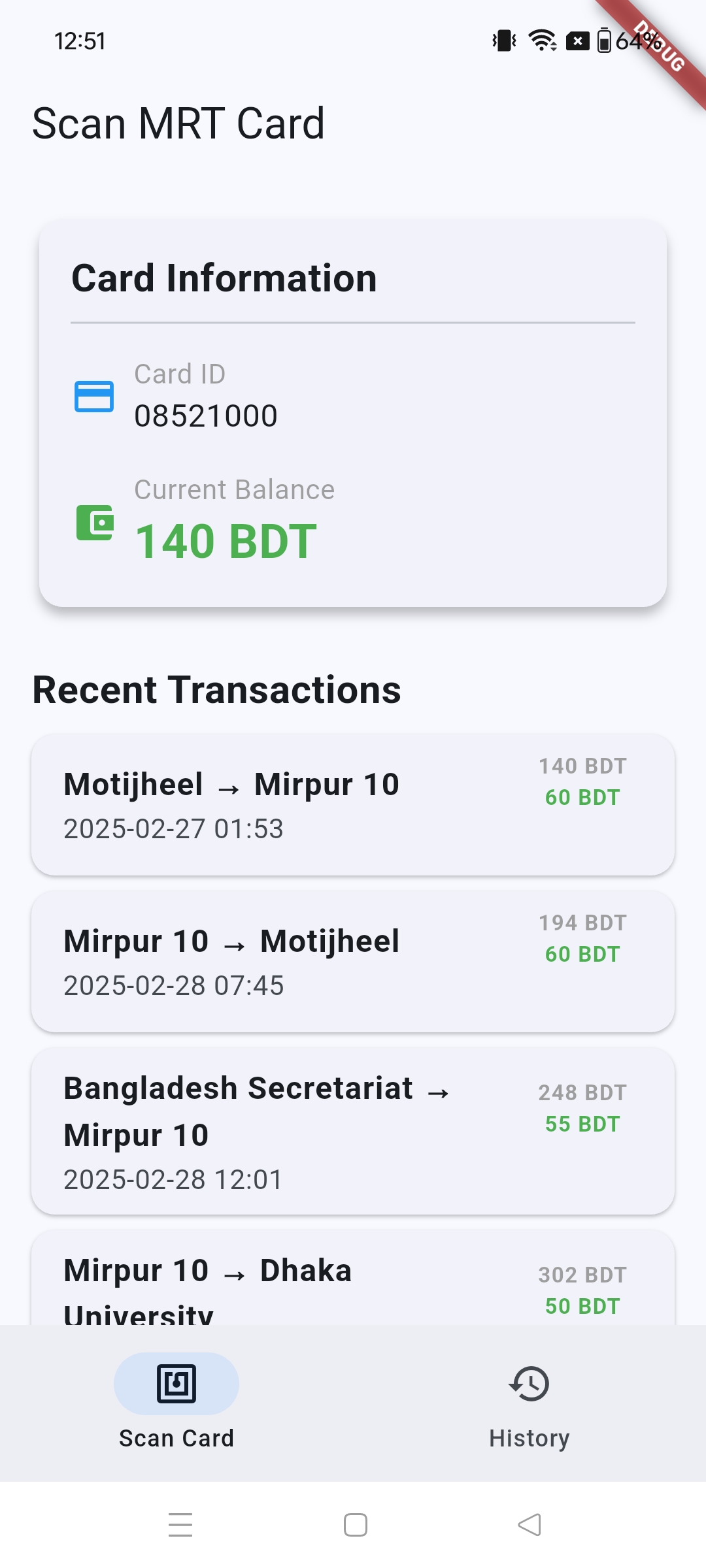
Read Dhaka MRT cards in Flutter, safely.
Minimal start
Section titled “Minimal start”dependencies: mrt_card_reader: ^0.3.0final available = await MrtCardReader.isAvailable();if (!available) return;
await MrtCardReader.startSession( onStatus: (status) => setState(() => scanStatus = status), onBalance: (balance) => setState(() => cardBalance = balance), onTransactions: (items) => setState(() => transactions = items), onError: (error) => setState(() => scanStatus = error.message), timeout: const Duration(seconds: 30),);This site documents a Flutter package for NFC MRT card reads. It is not a standalone mobile application shell.
Overview
Package Snapshot
A quick read of capabilities and integration constraints before implementation.
Package
mrt_card_reader
Current pub.dev
0.3.0
License
GPL-3.0
SDK
Flutter
Capabilities
What this package gives your app
Production-oriented NFC read flows for Dhaka MRT cards with typed data and predictable error states.
Read scope
Balance + history
Platforms
Android + iOS
Protocol
FeliCa / NFC-F
Error model
Typed exceptions
Feature Set
Built for real-world transit usage patterns.
Typed exception handling
Get explicit failure types such as unavailable NFC, invalid card, timeout, and active-session conflicts.
Parsed transaction records
Receive station names, timestamps, journey/top-up types, cost, and post-transaction balance as typed model data.
Session lifecycle controls
Use configurable timeouts and cancellation to keep scan behavior deterministic under real commute conditions.
Cross-platform parity
Android and iOS use different NFC internals while your Flutter layer keeps one consistent API surface.
Platform Setup
Implementation notes before shipping to users.
Android setup
Add NFC permission and hardware feature declarations in `AndroidManifest.xml`, then test on physical NFC devices.
iOS setup
Set NFC usage description, include TAG session format, and enable NFC Tag Reading capability in Xcode.
Next
Continue Reading
Move from overview to implementation details, troubleshooting, and contribution guidance.